Hands-on with Message Queues
Interact with LavinMQ and explore AMQP concepts.
This will create a user and vhost in the broker.
AMQP Tools
Book Taxi (Task 1a)
Send Notifications (Task 2a-c)
Workshop Information
This workshop guides you through learning AMQP concepts and interacting with LavinMQ.
AMQP URL:
amqps://<name>:<name>@euruko-2025.lmq.cloudamqp.com/<name>
Management URL: euruko-2025.lmq.cloudamqp.com
Example code: https://github.com/dentarg/amqp – don't look before trying!
Slides: EuRuKo 2025 presentation
Task 1: Consume and publish messages (using default exchange)
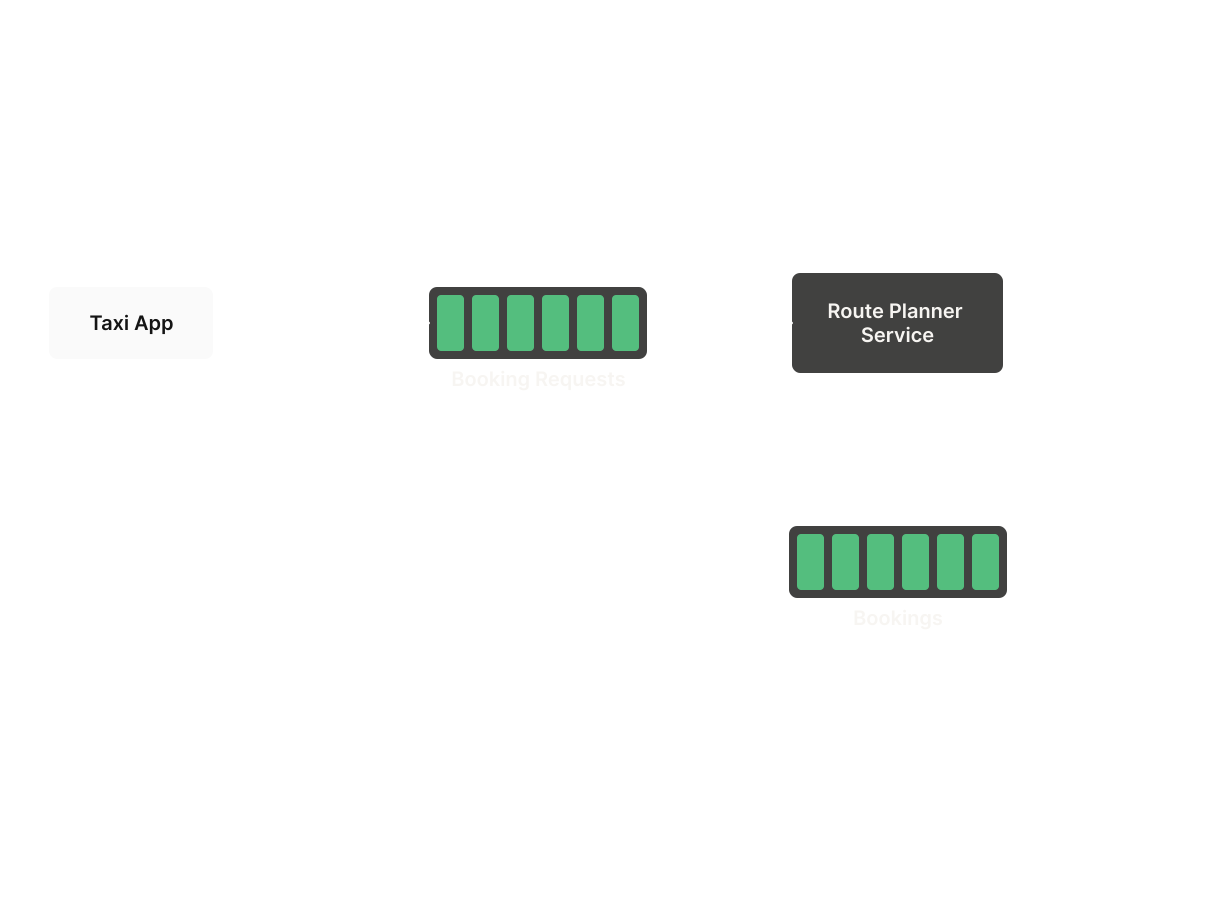
- 1a) Build your first microservice: Develop a microservice that connects to LavinMQ, subscribes to
booking_requestsmessages, extracts thefromcity, computes route distance between the city and the destination, creates a new message with the route distance, and publishes to thebookingsqueue. The distance computation does not need to be realistic (random is fine!)."vilnius" and "kaunas" are the supported
fromcities.Use the button "Book Taxi" (in the "Tools" tab) to generate the input message.
Input (booking_requestsqueue):
Output ({"from": "vilnius", "to": "stockholm", "group_name": "your_group_name"}bookingsqueue):{"from": "vilnius", "to": "stockholm", "group_name": "your_group_name", "distance": "5000"}
Task 2: Share information (learn routing and exchanges)
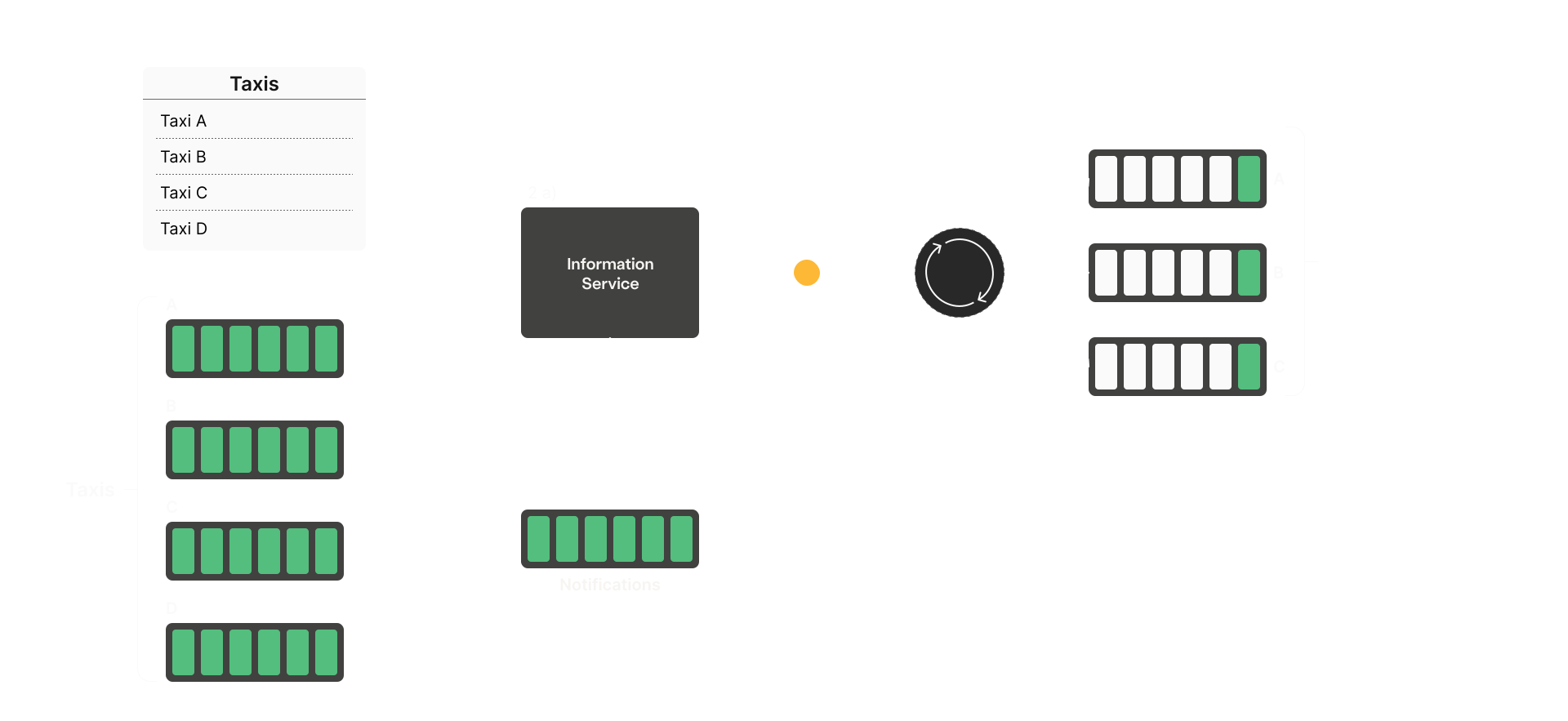
- 2a) Information handler (fanout exchange): Create an information-sharing app.
Retrieve all taxi cars via API (https://workshop.lavinmq.com/taxis).
Create a queue per taxi (suggested naming pattern:
<city>_<taxi>) develop a microservice creating a fanout exchange, and bind it to all taxi queues. Consume messages from thenotificationsqueue; if status is "news", publish the message to the fanout exchange.Verify in the management UI that the taxi queues received the expected messages.
Input (notificationsqueue):
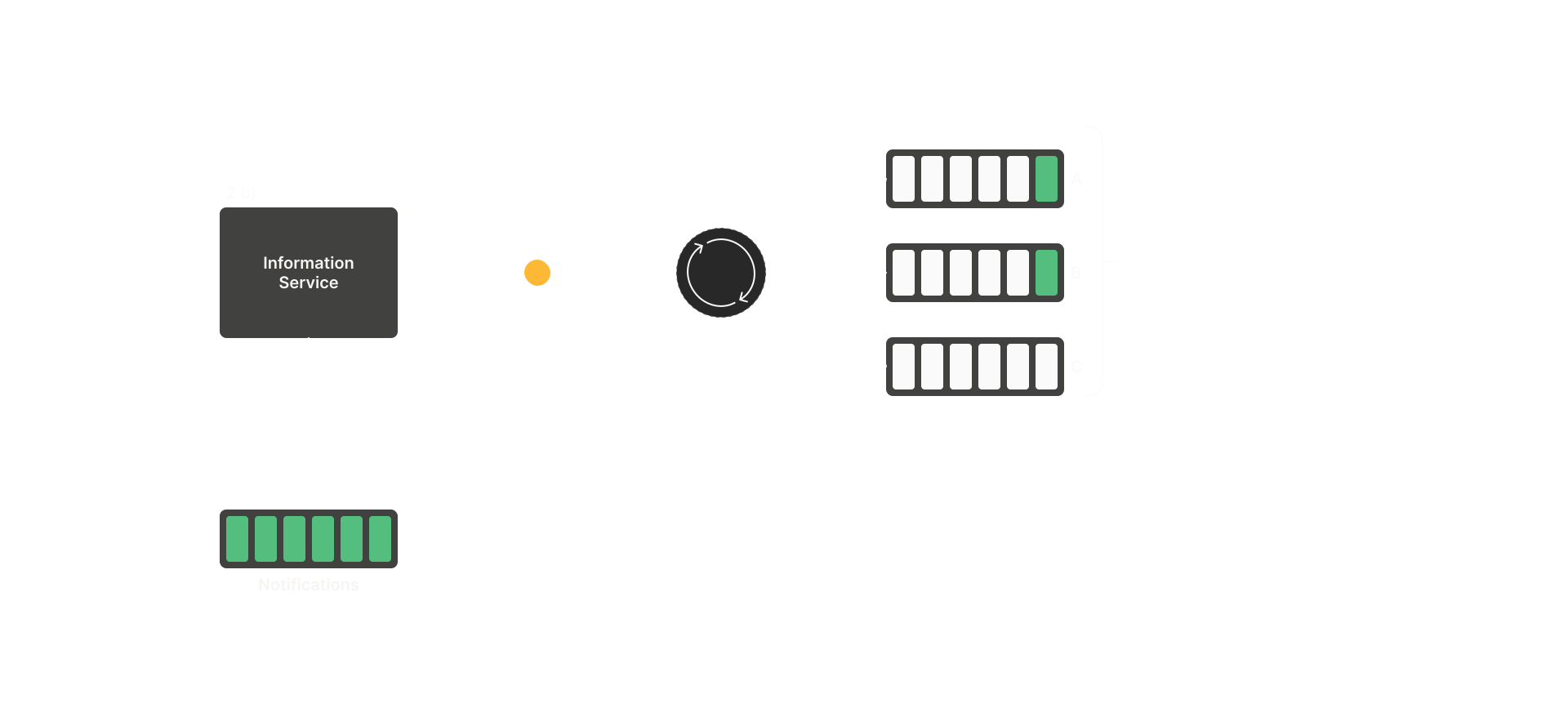
Output (fanout exchange{"city": "vilnius", "message": "free fika...", "status": "news", "group_name": "your_group_name"}news):{"info": "free fika..."} - 2b) Share information (topic exchange): Create a topic exchange, bind it to taxi queues using
city-based
bindings (for instance bind one taxi to the city (topic) vilnius and another to kaunas). Consume messages from
notifications; if status is "alert", publish to the topic exchange using the city as the routing key.Verify in the management UI that the correct queue received the message.
Input (notificationsqueue):
Output (topic exchange{"city": "vilnius", "message": "Find more customers...", "status": "alert", "group_name": "your_group_name"}alerts, routing key<city>):{"info": "Find more customers..."}