Hands-on with Message Queues
Interact with LavinMQ and explore AMQP concepts.
This will create a user and vhost in the broker.
AMQP Tools
Book Taxi (Task 1a)
Populate Available Taxis (Task 1b)
When you click the button below, it will populate queues named "<city>" (for
the cities Berlin and Munich) with
some available taxis.
Confirmed Taxis (After task 1c)
| Taxi | Price | To | From | Group Name |
|---|
Send Notifications (Task 2a-c)
Workshop Information
TaxiHub is a fictional ride-hailing startup operating in Berlin and Munich. You're the new backend engineer, and the product team needs a booking pipeline and a driver-comms system glued together using LavinMQ. Each task adds one small service.
Setup
First, head to the Register tab and pick a name — this creates your user and vhost on the broker. Use that same name in the AMQP URL below (user, password, and vhost are all the same value).
AMQP URL
amqps://<name>:<name>@wearedevelopers.lmq.cloudamqp.com/<name>
Management UI: wearedevelopers.lmq.cloudamqp.com — use this throughout to inspect queues, exchanges, bindings, and messages.
Client libraries: any AMQP 0.9.1 client works —
amqp-client.rb (Ruby),
pika (Python),
amqp-client.js (Node.js),
amqp-client.cr (Crystal),
amqp091-go (Go),
rabbitmq-java-client (Java),
rabbitmq-dotnet-client (.NET), and so on.
What you'll build
Task 1 — a 3-step booking pipeline: receive a request → match a taxi
→ price the ride.
Task 2 — a driver-comms broadcaster: route fleet notifications differently
depending on how urgent and how targeted they are (everyone / one city / jump the queue).
Task 1: Consume and publish messages (using the default exchange)
-
1a) Build your first service
Goal. Receive a booking request, compute the route distance, forward it on.
You'll learn. Connecting to LavinMQ, declaring a queue, subscribing, publishing to the default exchange by queue name, and acknowledging messages.
Steps.
- Connect to LavinMQ and subscribe to the
booking_requestsqueue. -
Parse the message and read
from(onlyberlinandmunichare supported) andto. - Compute a route distance — random is fine.
- Publish the enriched message to the
bookingsqueue. - Ack the original message only after publishing succeeds, so a crash mid-handle doesn't silently lose work.
Try it. Use the Book Taxi button in the Tools tab to send an input message.
Input (booking_requestsqueue):
Output ({"from": "berlin", "to": "stockholm"}bookingsqueue):{"from": "berlin", "to": "stockholm", "distance": "820"}Done when. Every Book Taxi click produces a new message on
bookingsin the management UI.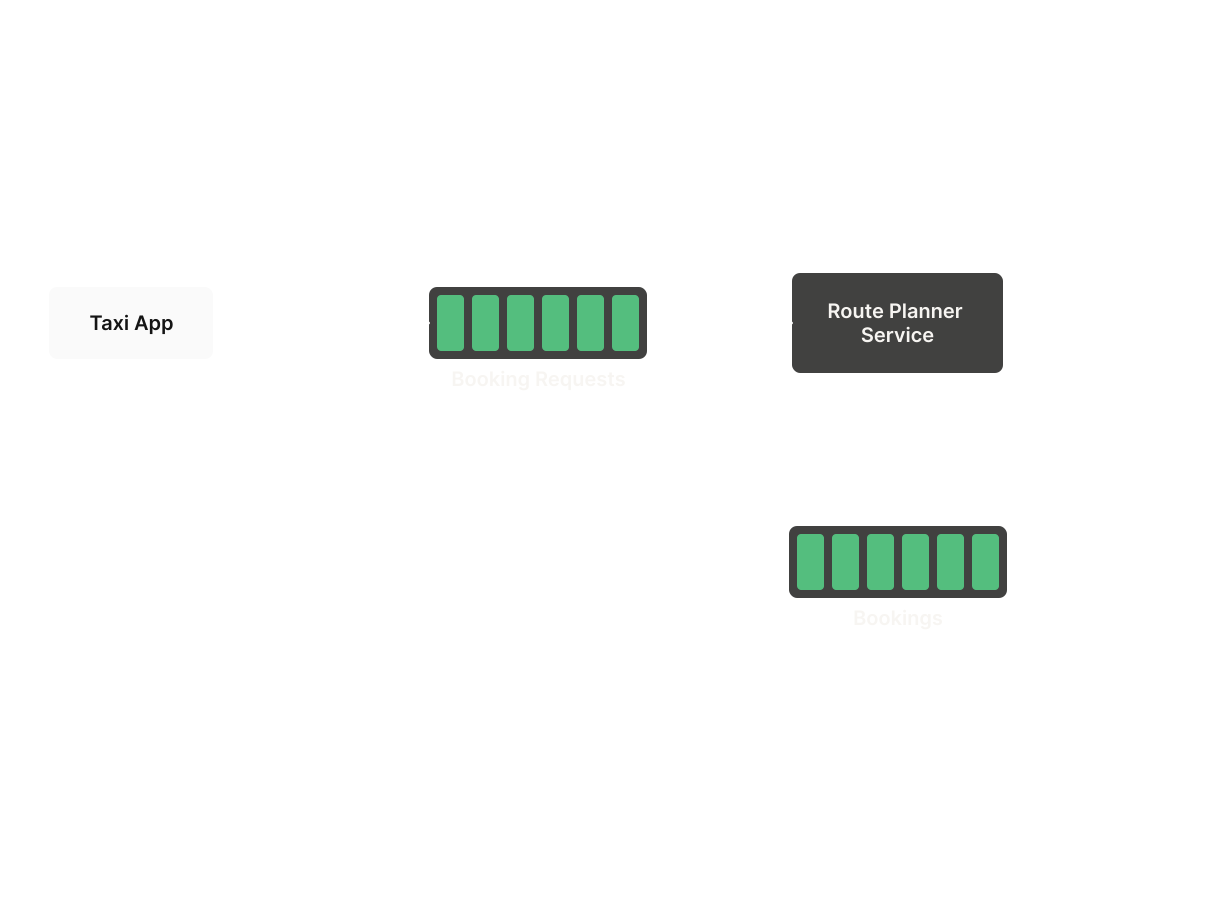
- Connect to LavinMQ and subscribe to the
-
1b) Build your second service
Goal. For each booking, claim the next available taxi from that city.
You'll learn. Pulling a single message with
basic_get(vs. subscribing), and handling "no work available" gracefully.Steps.
- Subscribe to the
bookingsqueue. -
Read the
fromcity and pull one message from the queue named after it — each city has its own queue, named simplyberlinormunich. -
Merge the taxi info into the booking and publish to
matched_taxis.
Setup. Use the Populate Taxis button in the Tools tab to fill each city queue with available taxis.
Heads up. What should happen if the city queue is empty? Two reasonable answers: drop the booking with a log, or requeue it and retry later. Either is fine — just be explicit about the choice.
Input (bookingsqueue):
Input (city queue{"from": "berlin", "to": "stockholm", "distance": "820"}berlinormunich, populated by the Populate Taxis button):
Output ({"taxi": "B-KF822"}matched_taxisqueue):{"from": "berlin", "to": "stockholm", "distance": "820", "taxi": "B-KF822"}Done when. Each booking consumes exactly one taxi message and produces one
matched_taxismessage.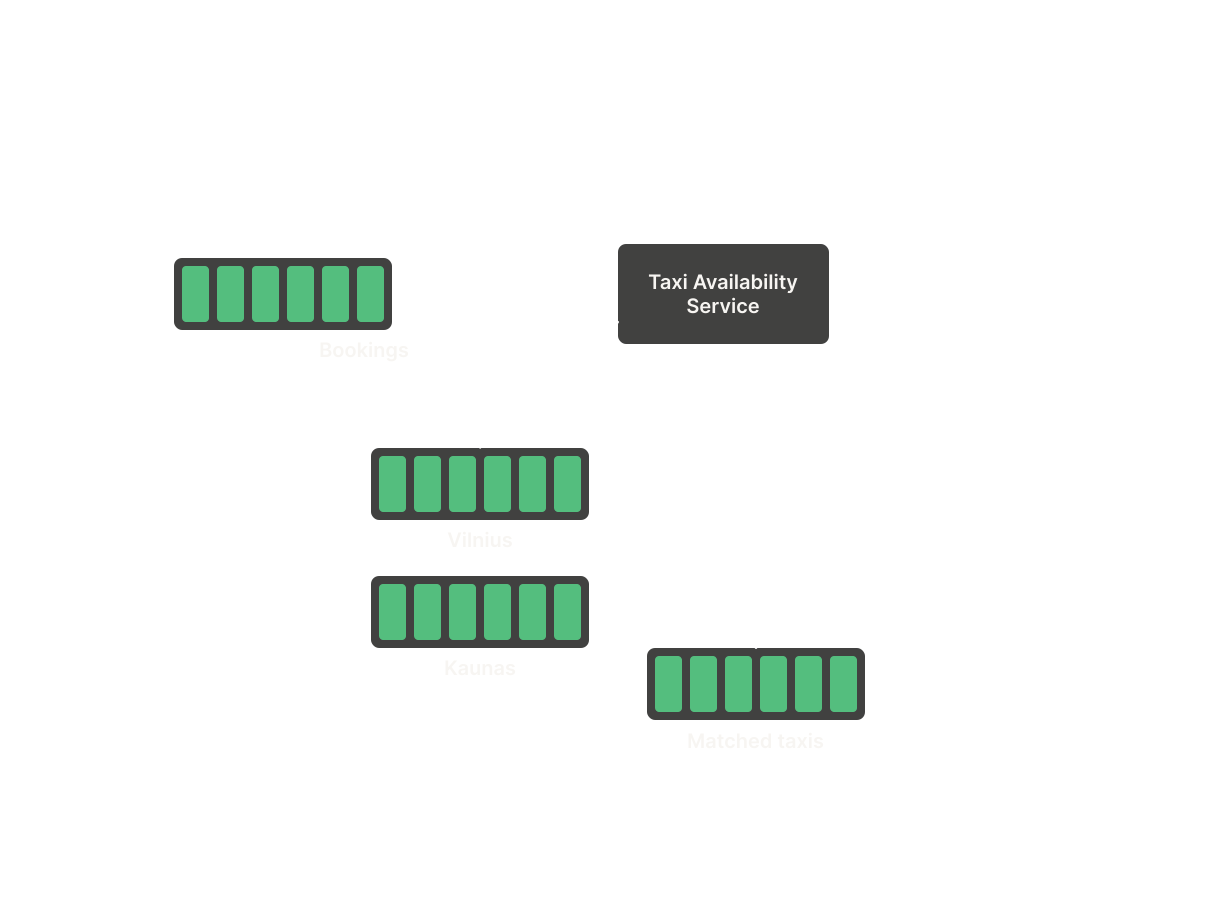
- Subscribe to the
-
1c) Calculate the price
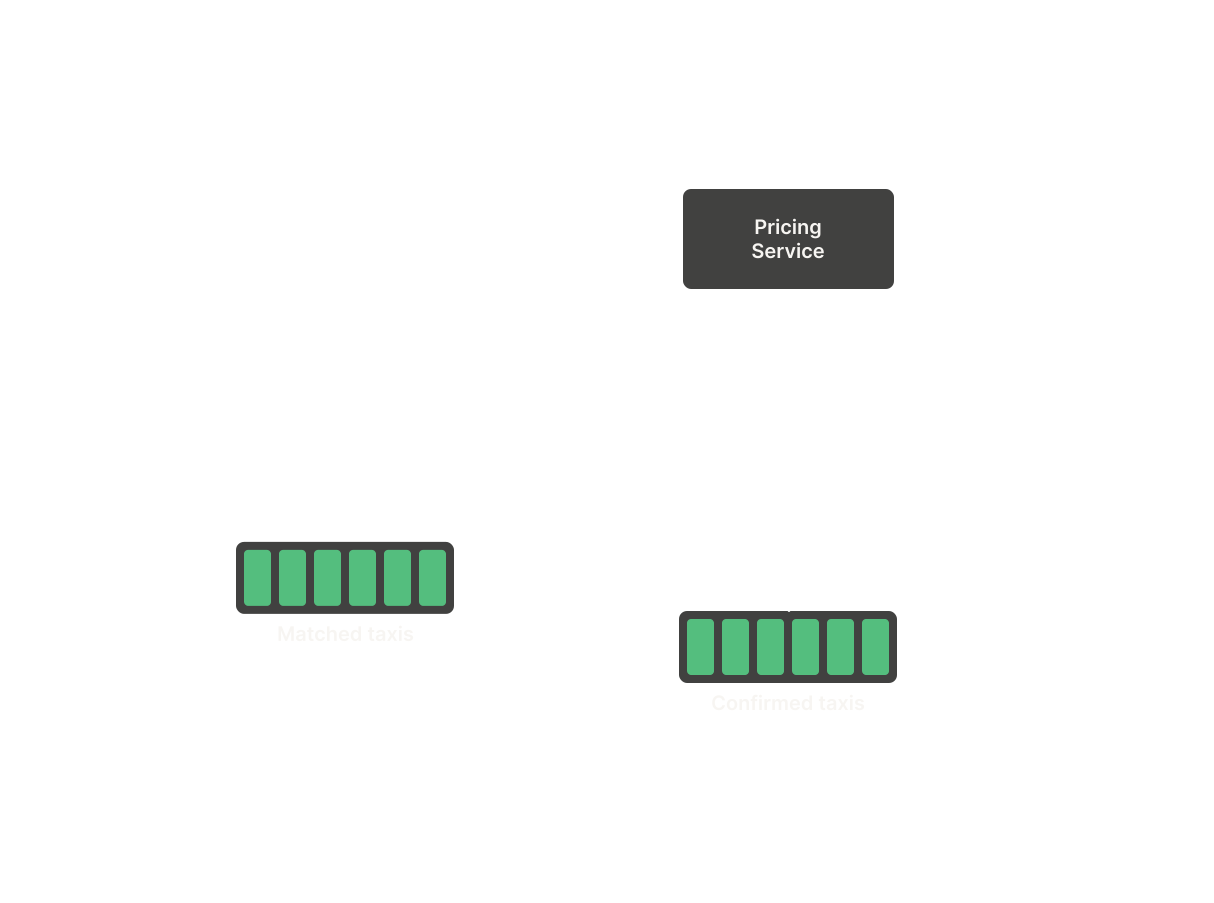
Goal. Attach a price and finalise the booking.
You'll learn. Chaining services through queues — the value of small, single-purpose services.
Steps.
- Subscribe to
matched_taxis. -
Calculate a price — anything goes (e.g.
rand, orbase + distance * rate). - Publish the enriched message to
confirmed_bookings.
matched_taxisqueue):
Output ({"from": "berlin", "to": "stockholm", "distance": "820", "taxi": "B-KF822"}confirmed_bookingsqueue):{"from": "berlin", "to": "stockholm", "distance": "820", "taxi": "B-KF822", "price": "1337"}Done when. Confirmed bookings appear in the Confirmed Taxis table in the Tools tab.
- Subscribe to
You've built TaxiHub's full booking pipeline — request, match, price. Verify the end-to-end flow in the Confirmed Taxis section of the Tools tab.
Task 2: Share information (learn routing and exchanges)
TaxiHub now needs a way for HQ to talk to drivers. Different messages need different reach: some go to everyone, some go to one city, and some need to jump the queue.
Use the Send Notifications form in the Tools tab to generate input messages for these tasks.
-
2a) Tell everyone — fanout exchange (status: "news")
Goal. A "free fika at HQ" message should reach every taxi, regardless of city.
You'll learn. Fanout exchanges (route to all bound queues, ignore routing key), durable exchanges, and bulk-binding queues at startup.
Steps.
- Fetch the taxi list once at startup from workshop.lavinmq.com/taxis.
-
Declare one queue per taxi using the pattern
<city>_<plate>(e.g.berlin_B-KF822). -
Declare a fanout exchange named
newsand bind every taxi queue to it. -
Subscribe to
notifications; whenstatus == "news", publish{"info": <message>}to thenewsexchange.
Reflection. Should the
Input (newsexchange be durable? What breaks if it isn't and the broker restarts?notificationsqueue):
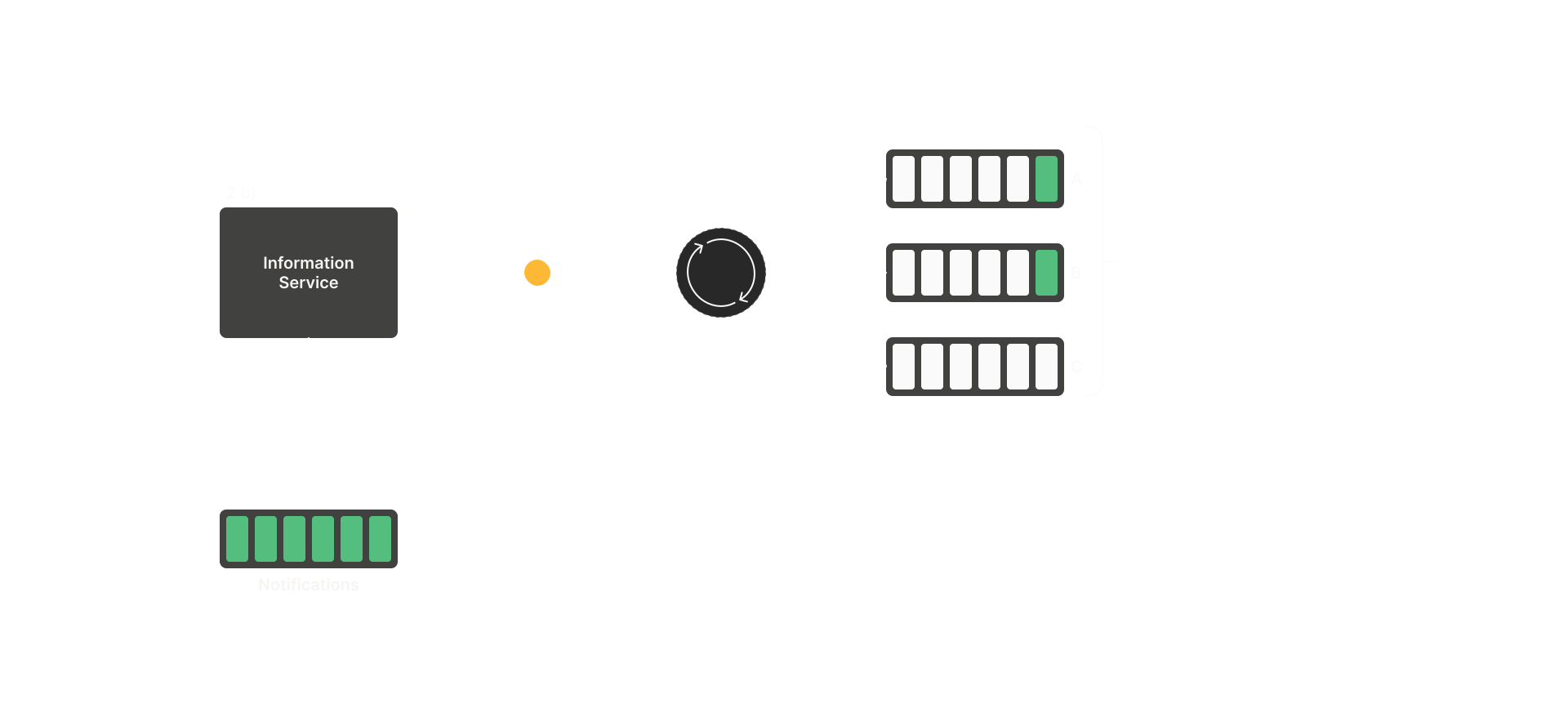
Output (fanout exchange{"city": "berlin", "message": "Free fika at HQ", "status": "news"}news):{"info": "Free fika at HQ"}Done when. The same message appears in every taxi queue in the management UI.
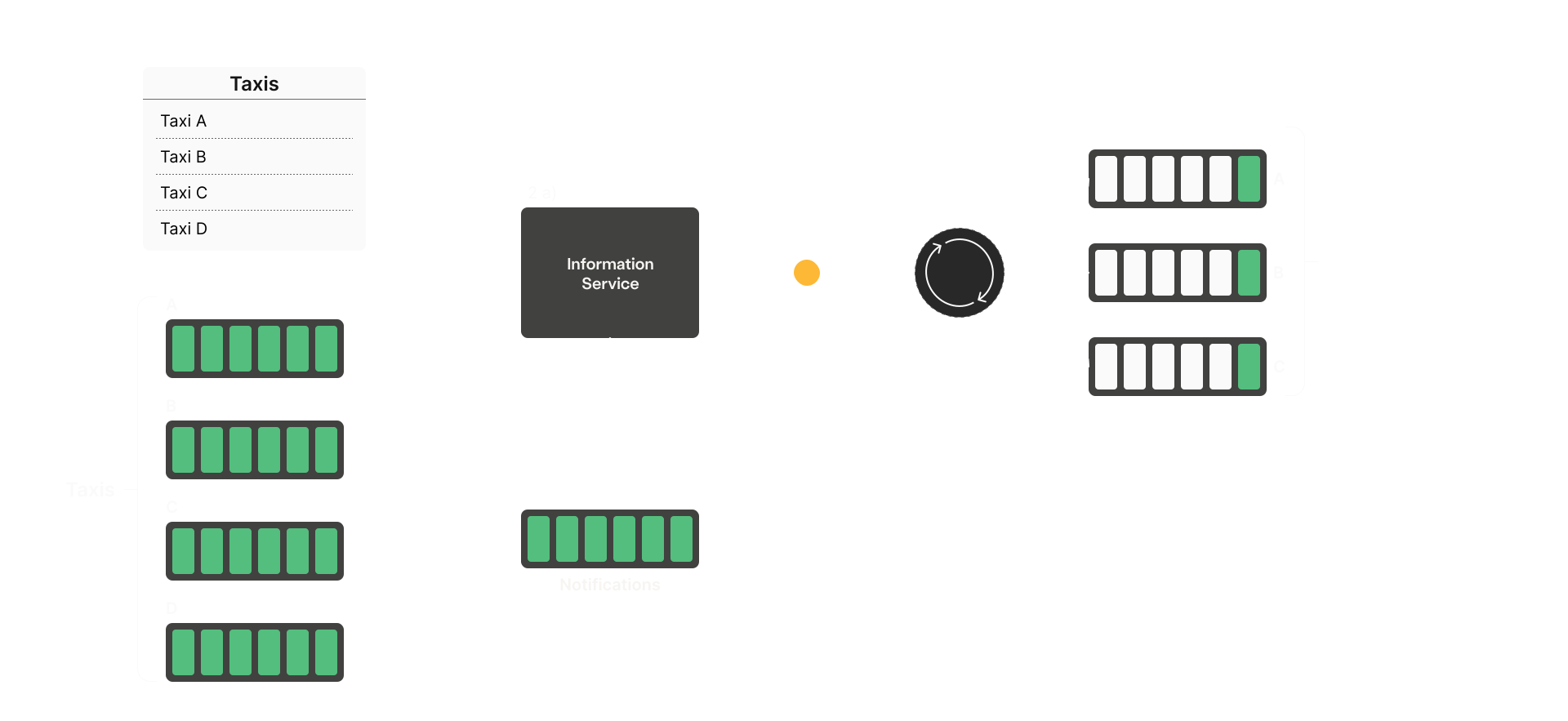
-
2b) Tell one city — topic exchange (status: "alert")
Goal. "More customers needed downtown" should reach only that city's drivers.
You'll learn. Topic exchanges, routing keys, and binding queues to specific keys.
Steps.
- Declare a topic exchange named
alerts. -
Use hierarchical routing keys of the form
<city>.<type>(e.g.berlin.alert). Bind each taxi queue with the wildcard<city>.*(so allberlin_*queues bindberlin.*and receive every Berlin message, and likewise formunich). -
Subscribe to
notifications; whenstatus == "alert", publish{"info": <message>}toalertsusing<city>.<status>(e.g.berlin.alert) as the routing key.
Heads up. If your 2a service is still running, both will pull from
Input (notificationsand silently drop each other's messages (competing consumers). Stop 2a first, or merge both handlers into one service.notificationsqueue):
Output (topic exchange{"city": "berlin", "message": "More customers needed downtown", "status": "alert"}alerts, routing key<city>.<status>):{"info": "More customers needed downtown"}Done when. Only that city's taxi queues receive the message — the other city's queues stay empty.
- Declare a topic exchange named
-
2c) Jump the queue — priority queues (status: "crisis")
Goal. "Road blocked, reroute now" should land at the front of each driver's queue, ahead of normal alerts already waiting.
You'll learn. Queue arguments (
x-max-priority), the publish-timepriorityproperty, and why queue arguments are immutable after creation.Steps.
-
First, just try redeclaring an existing taxi queue with
x-max-priority: 255and observe what happens — you'll getPRECONDITION_FAILED (406). Queue arguments can't be changed after a queue is created. -
Delete each
<city>_<plate>queue and recreate it withx-max-priority: 255. Valid range is 0–255; higher numbers mean sooner delivery. -
Rebind the recreated queues to the
alertstopic exchange with the same<city>.*wildcard as in 2b. -
Subscribe to
notifications; whenstatus == "crisis", publish{"info": <message>}toalertswith routing key<city>.<status>(e.g.berlin.crisis) and message propertypriority: 255.
Heads up. The 406 closes the channel it was sent on. Use a throwaway channel for the delete-and-recreate dance so your main consumer channel survives.
Input (notificationsqueue):
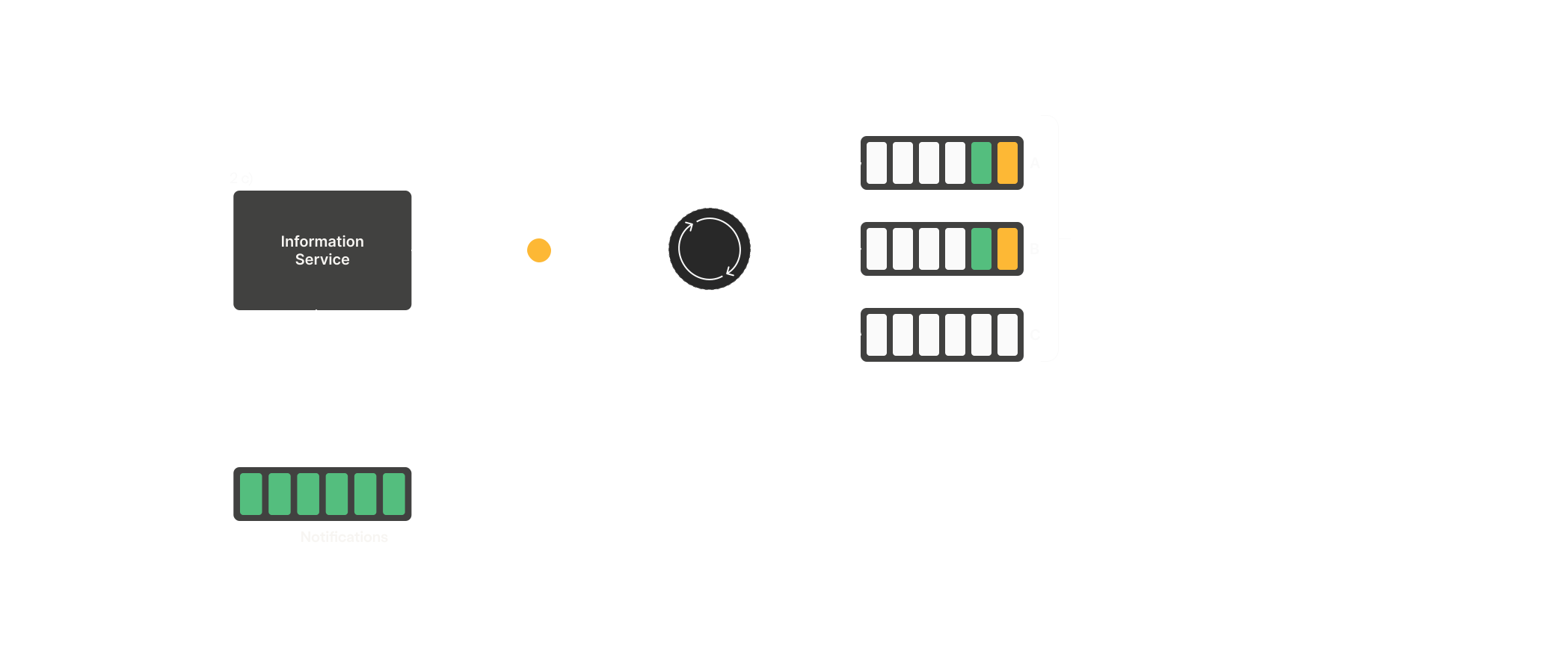
Output (topic exchange{"city": "berlin", "message": "Crash blocking Unter den Linden", "status": "crisis"}alerts, routing key<city>.<status>, priority255):{"info": "Crash blocking Unter den Linden"}Done when. Send a normal alert and then a crisis to the same city — the crisis message sits ahead of the alert in the queue (visible via the management UI's Get messages action on a taxi queue).
-
First, just try redeclaring an existing taxi queue with
Task 3: Remove old messages (TTL and policies)
A reroute for a jam that's already cleared is worse than no message at all. Make stale notifications disappear on their own — first per message, then across the whole fleet at once.
-
3a) Expire stale crisis alerts — message TTL
Goal. A "reroute now" that nobody consumes within a short window should vanish, not sit around waiting to misdirect a driver later.
You'll learn. Per-message TTL via the publish-time
expirationproperty (milliseconds, as a string), and how the broker drops expired messages.Steps.
-
In your crisis handler (2c), add an
expirationof e.g."30000"(30 seconds) when publishing toalerts. - Send a crisis to a city, but don't consume it — let it sit in a taxi queue.
- Watch that queue's message count in the management UI as the TTL elapses.
Reflection. Per-message TTL vs a per-queue
Input (x-message-ttl— when would you reach for each?notificationsqueue):
Output (topic exchange{"city": "berlin", "message": "Crash blocking Unter den Linden", "status": "crisis"}alerts, routing key<city>.<status>, priority255, expiration30000):{"info": "Crash blocking Unter den Linden"}Done when. An unconsumed crisis message disappears from the taxi queue once the TTL passes — the message count drops back to zero on its own.
-
In your crisis handler (2c), add an
-
3b) Clean up every driver's queue at once — policies
Goal. Give every taxi queue a message TTL so old notifications age out, without redeclaring dozens of queues one by one.
You'll learn. Policies: apply arguments (like
message-ttl) to many existing queues by name pattern, changeable at any time, unlike the queue arguments in 2c, which are fixed at creation.Steps.
-
Create a policy on your vhost matching your taxi queues (pattern
^(berlin|munich)_) with definition{"message-ttl": 60000}and apply-toqueues. -
Do it in the management UI (Policies) or via the HTTP API
(
PUT /api/policies/<vhost>/<name>). - Open a taxi queue in the management UI — it now lists the policy under its features.
Reflection. In 2c you had to delete and recreate a queue to change
x-max-priority. Why can a policy add or change an argument on a live queue when a redeclare can't?Done when. Every taxi queue shows the policy applied in the management UI, and messages age out after the TTL. You set it across the whole fleet in one call, without redeclaring anything.
-
Create a policy on your vhost matching your taxi queues (pattern